

Knowing how to write an SEO blog post is one thing; knowing what to write, what to leave out, and how to make your version worth reading is another.
You already have the keyword. You’ve checked the competition and looked through the search results. Now you have to turn all that research into an actual article.
I’ll walk through how I approach an SEO blog post on AngelinaCH—from reading the SERP and deciding what to cover, to outlining, writing, using AI, and doing the final SEO pass.
1. Start With the Keyword You Already Researched
This article assumes you’ve already chosen your topic.
If you haven’t, my article How to Do Keyword Research for a New Blog in 2026 covers how I approach that part. I won’t repeat the whole process here.
Now you’re asking, What does someone searching this actually need?
A keyword is a starting point, not an outline. It tells you what someone typed into Google, not necessarily what they need to read once they land on your page. That’s where the search results become useful.
2. Read the SERP Before You Write
For this article, the results for “how to write an SEO blog post” were more mixed than I expected. There were agencies, software companies, individual bloggers, a portfolio site, and even a LinkedIn article.
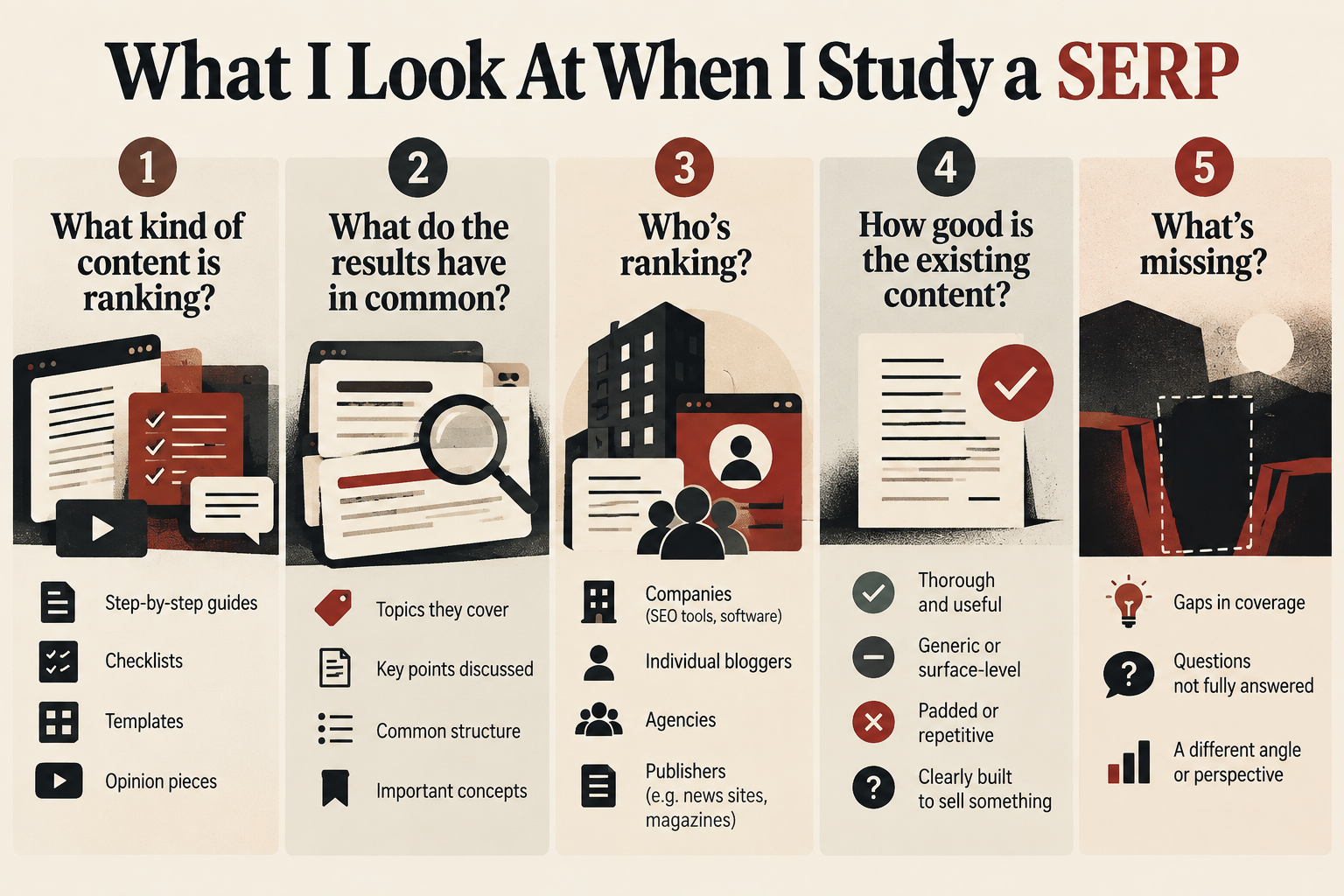
When I study a SERP, I look at five things: what type of content ranks, what the results have in common, who’s ranking, how useful the existing content is, and what’s missing.
For this topic, I found plenty of generic SEO advice. What I didn’t see much of was the actual decision-making involved in taking a researched keyword and turning it into a finished article on a new site.
That’s useful.
I’m not trying to find a topic nobody has covered. I want to understand what’s already being given to searchers, then find an angle that fits the query, fits AngelinaCH, and gives me something useful to add.
3. Decide What Your Article Actually Needs to Cover
There’s a difference between copying what competitors wrote and understanding why those topics appear in the results.
Copying competitor headings just gives you another version of an article that already exists.
Understanding common coverage is different. If nearly every useful result explains search intent, for example, I take that as a signal that the concept matters to the reader.
Then I build the article around the reader.
That’s the distinction I use.
Competitor research tells me what I shouldn’t forget. The searcher’s needs determine how I explain it.
Some topics need a full guide; others don’t. If someone searches “how long should a meta description be,” they probably don’t need a 3,000-word essay before getting the answer. Longer isn’t automatically better. The better article gives the reader what they came for without making them dig through unnecessary information.
4. Build the Outline Before You Write
I build the outline around the questions a reader would naturally ask.
The questions I use are simple:
- What is this?
- How do I do it?
- What do I need to know first?
- What usually goes wrong?
- What do I do next?
An outline forces me to decide what each section is actually for before I start writing. It also makes repetition much easier to spot.
If two sections are going to make the same point, I’d rather discover that in the outline than after I’ve spent an hour writing both.
I start with the reader’s logic, then compare my outline with the SERP to make sure I haven’t missed anything important.
That usually gives me a much stronger starting point.
5. Write the SEO Article for the Reader, Not Just the Search Engine
A good introduction needs to establish what the article answers, who it’s for, and why the reader should continue. It doesn’t need three paragraphs explaining why SEO matters or how many websites exist on the internet.
Google also recommends creating helpful, people-first content rather than content made primarily to manipulate search rankings.
The reader already searched for the topic.
They know why they’re there.
If the title says “How to Write an SEO Blog Post,” don’t make the reader scroll through the history of search engines before getting to the process.
Start answering the question.
The same applies throughout the article: put the useful information near the beginning of each section, then add explanation, examples, or context underneath it.
Don’t make the reader wait for the point.
6. Use AI Without Letting It Write the Whole Article
I use AI throughout my content process for brainstorming, research assistance, outlining, drafting, editing, and repurposing. But I don’t treat an AI draft as the finished article.
I explain the tools I actually use in Best AI Tools for Bloggers in 2026: My Real Blogging Stack.
And if you’re interested in how search itself is changing, AI Search: What It Is, How It Works, and What It Means for Bloggers goes deeper into that.
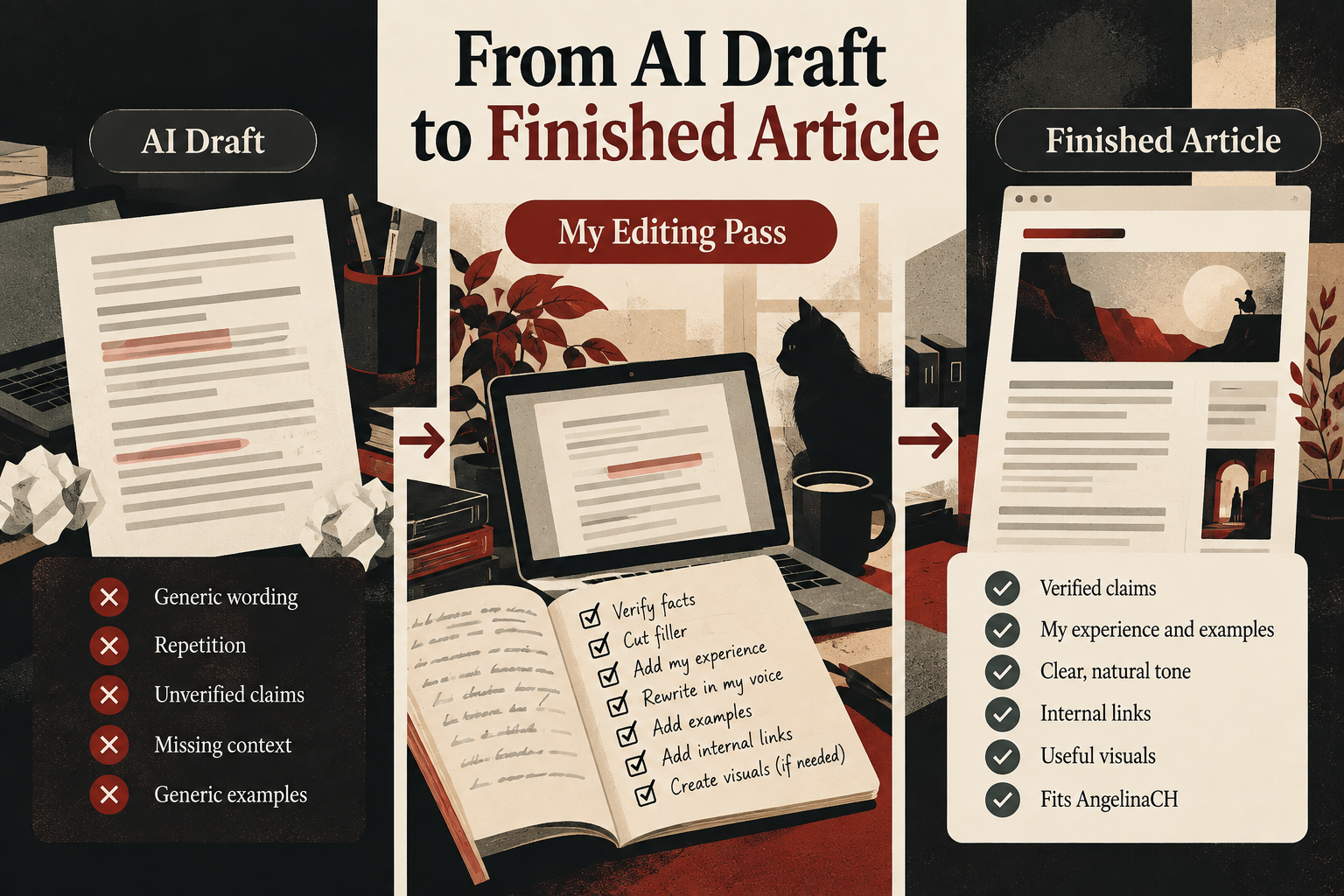
AI is good at producing something that looks finished. My editing pass is where most of the human work happens: I verify important claims, cut filler, add examples and actual experience, rewrite anything that doesn’t sound like me, and make sure the article fits AngelinaCH.
A generic AI draft gives me a starting point. My job is to turn it into something specific, useful, and worth publishing.
7. Make Your Article More Useful Than the Results You Found
The articles already ranking for your topic have probably covered the basics.
You don’t need to invent something nobody has ever said before.
You need to figure out what would make your version more useful.
Clearer explanation can make a complicated topic easier to understand. A better example can make the idea more practical. First-hand testing can show readers what actually happened. A screenshot can make instructions easier to follow. Updated information can make your article more useful than older results.
Or maybe there’s one question that keeps getting mentioned but rarely gets a proper answer.
Those are all valid reasons for your article to exist.
You don’t need to improve on every competing article in every possible way. One genuinely useful addition can be enough.
And don’t force extras just to make the article look impressive. Not every post needs screenshots, diagrams, comparisons, original data, and personal experience. Use whatever actually helps the reader.
8. Optimize Your SEO Blog Post After Writing
I write first and optimize second.
When I try to optimize while I’m still writing, the prose gets stiff. I start thinking about the keyword instead of the person reading the sentence.
This is the final part of how to write an SEO blog post: making sure the finished article is properly optimized before it goes live.
Once the draft is solid, I do a separate SEO pass.
I’m mainly checking that the basic pieces are in place:
- SEO title and H1: Clear and specific, with the focus keyphrase where it fits naturally.
- Slug: Short and readable.
- Headings: They should tell the reader what each section is actually about. If the keyphrase fits naturally, I’ll use it.
- Keyword usage: Naturally throughout the article. If I have to force it, I don’t.
- Meta description: A straightforward explanation of what the article offers.
- Internal links: Links to related articles that genuinely help the reader.
- External references: Used when a source adds useful information or evidence.
- Image alt text: A real description of what’s in the image.
- Readability: Shorter paragraphs, clear language, and enough white space that the page doesn’t feel like a wall of text.
I use Yoast as part of this process, and it’s useful for catching things I’ve overlooked.
But I don’t let the plugin write the article.
If Yoast suggests putting the keyphrase somewhere and doing so makes the sentence sound unnatural, I’ll take the readable sentence.
SEO should support the article.
The article shouldn’t exist to make the plugin happy.
9. Publish, Then Pay Attention to What Happens
Publishing isn’t really the end.
It’s when you start getting evidence.
Once Google Search Console has enough data, I look at impressions, clicks, click-through rate, the queries a page appears for, average position, and which pages are getting impressions at all. I cover some of that process in How to Get Traffic to a New Blog in 2026.
For example, if a page gets impressions but very few clicks, I’ll look at the title and search snippet.
If it starts appearing for queries I didn’t originally target, that can tell me something about what Google thinks the article is relevant to.
If a page gets very little visibility, I’ll look at the topic, the angle, the content itself, and how I’m distributing it before deciding what to change.
The point isn’t to find a magic metric. It’s to replace guessing with actual information.
If the bigger goal is eventually making money from the site, traffic is part of that picture, which is why I cover the monetization side in How to Make Money Blogging in 2026.
That’s how I’m applying this process on AngelinaCH. I research the topic, study the SERP, build the outline around what the reader needs, use AI to help with drafting, edit the article myself, optimize it with Yoast, and publish. Then I watch Search Console and use what I learn to decide what deserves another look.
Final Thoughts
If you’re wondering how to write an SEO blog post, start with the search results, not the blank document.
Understand what the reader wants, decide what your article needs to cover, write for the reader first, and optimize after the draft is good. Use AI as a helper, not a replacement for your judgment.
Then publish and pay attention to what happens. You won’t have every answer upfront, but you’ll have real information to work with.
FAQ
How long should an SEO blog post be?
As long as it needs to be to answer the question well. Look at what ranks for your keyword for a rough sense, but don’t pad. A focused 800-word answer can be more useful than a bloated 3,000-word one.
How many times should I use a keyword in a blog post?
There’s no magic number. Use your focus keyphrase naturally in the intro, body, and conclusion, and in a heading when it fits. If it sounds awkward when you read it aloud, cut it.
Can I use AI to write SEO blog posts?
Yes. I use AI extensively in my own workflow, but I treat the output as a draft. Verify important claims, add your own experience and examples, and edit until the article sounds like a person wrote it.
How long does it take for a new blog post to rank?
It varies by competition, site history, content quality, and search demand. On a new site, I wouldn’t rely on an arbitrary timeline. Instead, watch Search Console for early signals such as impressions and queries.
Should every blog post target a keyword?
Not necessarily. Most of my search-focused posts start with a keyword because it helps me understand demand, but some articles—experiments, updates, or personal posts—exist for other reasons. Just be clear about whether a post is meant to attract search traffic or serve another purpose.