
AI tools for content creation have become part of how I work, but creating content still means doing a lot more than just writing.
One day you’re researching a topic. Next you’re making a graphic, editing a video, recording a voiceover, or trying to turn one piece of content into three different formats.
That’s probably why there are so many AI tools for content creation now. There’s an app for almost every part of the process.
I’ve tried quite a few while building AngelinaCH, and one thing I’ve learned is that I don’t actually need all of them.
No single tool does everything perfectly. What matters more is figuring out where you’re spending the most time and finding a tool that helps with that particular part of the workflow.
So instead of ranking these tools from “best” to “worst,” I’ve organized eight of them by what they’re actually useful for.
8 AI Content Creation Tools at a Glance
| Tool | Best For | Pricing |
| ChatGPT | Writing, research & brainstorming | Free available · Plus $20/mo |
| Claude | Long-form writing & editing | Free available · Pro $20/mo |
| Canva | Graphics & visual content | Free available · Pro $15/mo |
| CapCut | Video editing & captions | Free available · Pro plan |
| HeyGen | AI avatar videos | Free available · Paid plans |
| ElevenLabs | AI voiceovers | Free available · Paid plans |
| Perplexity | Research & fact-finding | Free available · Pro $20/mo |
| Descript | Video & podcast editing | Free available · Paid plans |
Which tool should I choose?
- General-purpose → ChatGPT
- Long-form writing → Claude
- Visual content → Canva
- Video editing → CapCut
- AI presenter video → HeyGen
- Voiceovers → ElevenLabs
- Research → Perplexity
- Transcript-based editing → Descript
Don’t buy 8 tools.
Start with the one that solves your biggest bottleneck, then add tools as your workflow demands it.
How the Tools Fit Into Your Workflow
Most content moves through the same rough sequence: research, writing, visuals, video, voice, and editing. Here’s where each tool sits in that chain.
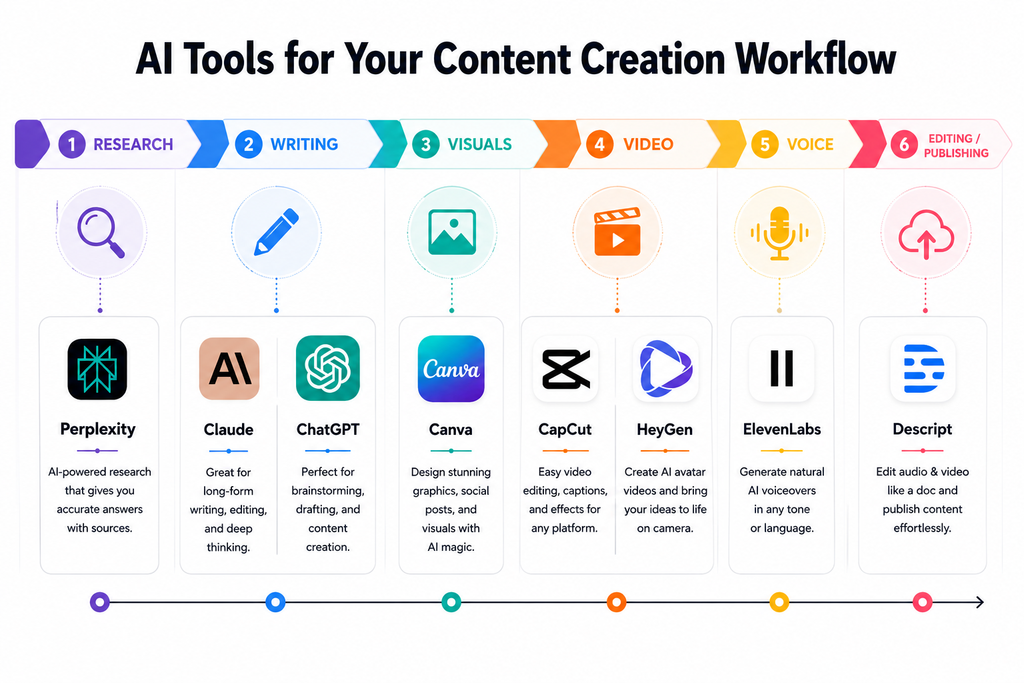
8 AI Tools for Content Creation
Each tool below is organized by its primary role in a content workflow, rather than ranked against the others. They solve different problems, so the best choice depends on what you’re trying to create.
1. ChatGPT
The Job: Brainstorming, outline generation, and rough research summaries.
If you don’t know where to start, start here. ChatGPT is the ultimate generalist. I use it primarily as a digital sparring partner when I’m staring at a blank page. If I need 10 quick layout ideas for a new content series or a fast summary of a long research paper, it handles it in seconds.
If you’re interested in using AI specifically for blogging, I’ve also covered some of the best AI tools for bloggers and what they’re useful for.
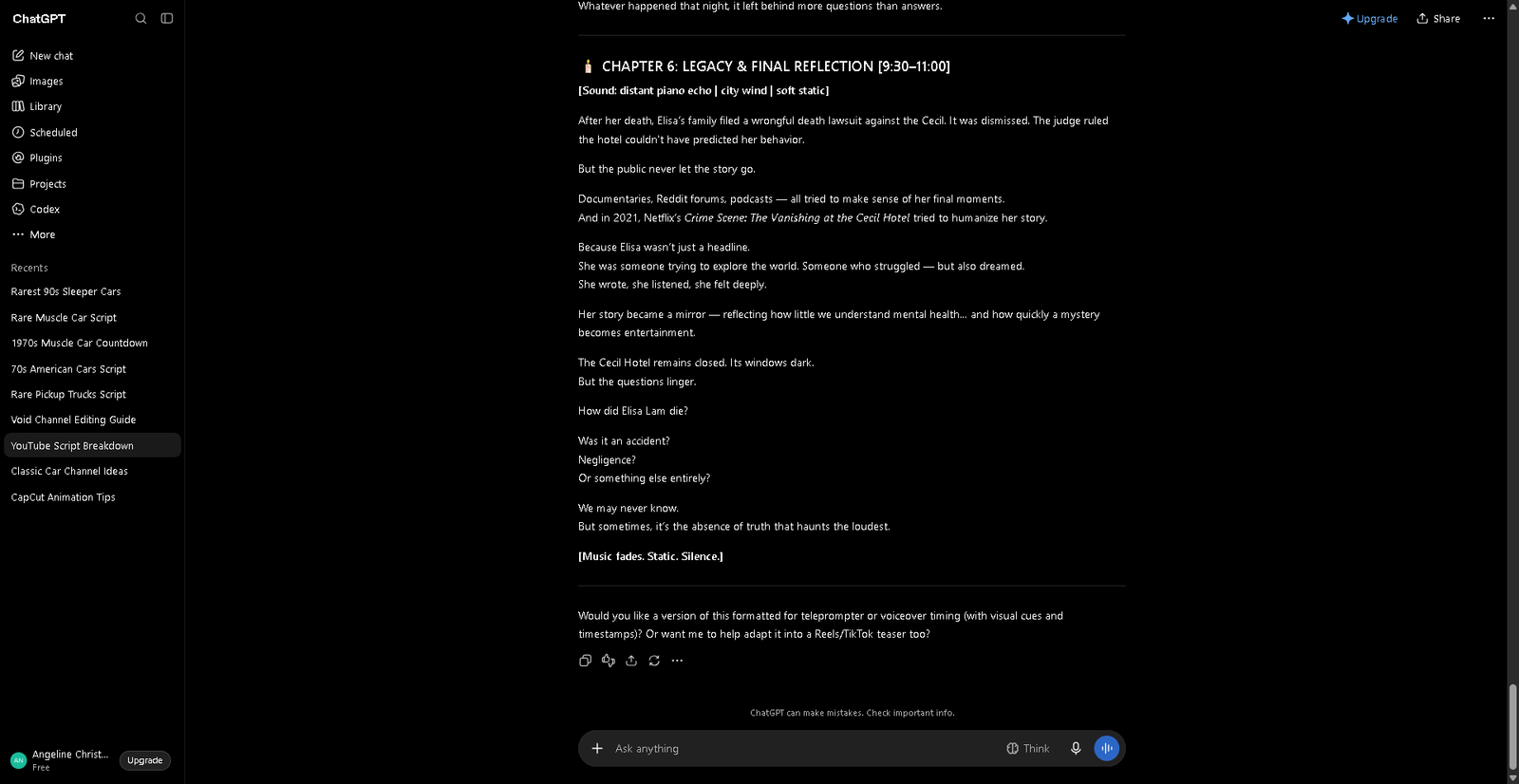
- The Reality: Its biggest strength is its breadth. You can bounce from an outline to a messy first draft without switching browser tabs.
- The Catch: Because it tries to do everything, it doesn’t excel at deep specialization. If you let it write a full-length article, it defaults to a very predictable, robotic corporate tone that requires heavy editing to actually sound human.
- Cost: The free version is fine for basic tasks, but the Plus tier sits at $20/month if you need advanced models.
2. Claude
The Job: Long-form writing, deep editing, and draft polish.
While ChatGPT is a great general assistant, Claude is a writer. It has a much better grasp on nuance, structure, and pacing over long documents. When I need to expand a messy brief into an actual comprehensive article—or clean up a draft I’ve already started—I always bring it here.
While ChatGPT is a great general assistant, Claude is a writer. It has a much better grasp on nuance, structure, and pacing over long documents. If you’re specifically comparing AI writing tools, I’ve also looked at 8 AI writing tools in more detail.
- The Reality: It is incredibly good at maintaining a consistent voice across thousands of words. It doesn’t use as many cheesy corporate clichés as other models.
- The Catch: This is strictly a text environment. Claude won’t generate images for your blog or edit your media clips. It is built for the writing and editing phase, nothing else.
- Cost: Free options are available, or $20/month for the Pro tier if you hit their usage limits frequently.
3. Canva
The Job: Fast graphics, blog headers, and social media visuals.
You don’t need a degree in graphic design to make a website look professional anymore. Canva is my go-to for standard day-to-day visual production. It mixes a massive library of ready-to-use templates with simple AI features that handle things like background removal or quick photo touch-ups in one click.
- The Reality: It completely eliminates the steep learning curve of advanced design software. If you need a blog thumbnail or a quick Pinterest graphic, you can build it in five minutes.
- The Catch: It relies heavily on templates. If you want a hyper-customized, completely original illustration built from scratch, you will probably find Canva’s layout tools a bit too restrictive.
- Cost: The free tier is generous, but the Pro plan ($15/month) is worth it to unlock the full asset library.
4. CapCut
The Job: Fast-turnaround short-form video and auto-captions.
If you are repurposing your blog posts into TikToks, Reels, or YouTube Shorts, you want to cut down editing time as much as possible. CapCut is built specifically for this mobile-first creator workflow. Its built-in AI handles audio syncing, basic visual cuts, and—most importantly—surprisingly accurate automatic subtitles.
- The Reality: The subtitle generator alone saves hours of manual typing. The entire timeline interface is designed for speed and quick, punchy edits.
- The Catch: It isn’t designed for heavy, cinematic Hollywood productions or complex multi-track timelines. It’s a tool for quick social media assets, not a feature film.
- Cost: Free to use, with varying regional Pro plans inside the app if you need premium filters or extra cloud storage.
5. HeyGen
The Job: AI presenter videos without getting on camera.
This is the tool you look at when you need video content but absolutely do not want to film yourself, buy expensive camera gear, or set up studio lighting. HeyGen takes text scripts and turns them into talking-head videos using incredibly realistic AI avatars.

- The Reality: It allows you to scale video production instantly. You can translate a single script into multiple languages or create an explainer video by simply typing a paragraph.
- The Catch: Even though the technology is amazing, AI avatars can still look slightly artificial. Viewers might pick up on the robotic movement, which might not fit a brand built entirely on raw, personal connection.
- Cost: Free starter credits exist, but serious usage jumps to the Creator plan ($29/month) or Pro ($49/month).
One important distinction: HeyGen generates video from text and other inputs; it isn’t a replacement for a traditional video editor. If you need to edit footage you’ve already recorded, Descript is the better fit.
6. ElevenLabs
The Job: High-quality, natural-sounding voiceovers.
If your video workflows already use separate tools for writing and editing, but your built-in computer voice sounds like a 1990s robot, this is the fix. ElevenLabs focuses on one thing: generating natural-sounding AI voiceovers.
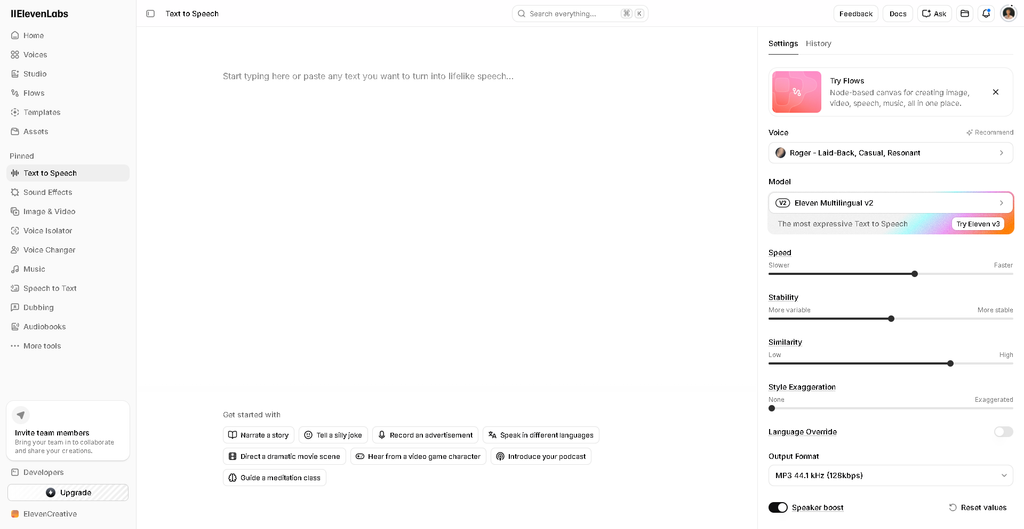
- The Reality: The emotional inflection, pauses, and voice clarity are spectacular. It works perfectly for turning written articles into audio podcasts or narrating video clips.
- The Catch: It is strictly an audio engine. It won’t help you write the script or cut the video frames; it just gives you the raw audio file to slot into your existing project.
- Cost: A free tier gives you 10,000 monthly characters, while the Starter plan begins at a very affordable $6/month.
My little note about this tool: I used to abuse the free account by making new accounts with burner emails whenever I ran out of credits. Eventually, my IP got blocked, and even using a new device didn’t help.
It was a pretty good reminder that if you’re actually using an AI tool regularly, constantly trying to get around the free limit isn’t a very sustainable strategy.
7. Perplexity
The Job: AI-assisted research with a clear paper trail.
My biggest problem with standard AI writers is that they love to confidently make up facts (hallucinations). Perplexity solves this. Think of it as a search engine paired with a research assistant. When you ask it a question, it writes a cohesive summary but inserts clear footnote citations showing exactly where it pulled the data.
This is also becoming more relevant as the way people search for information changes. I’ve written more about how AI search works and what it means for bloggers here.
- The Reality: It saves you from opening 20 different browser tabs to verify a simple statistic. It gives you a clean starting point for fact-driven blog posts.
- The Catch: Citations don’t automatically make the source correct. The AI might quote a broken website or a biased article, so you still need a human eye to click through and double-check key metrics before publishing.
- Cost: Completely free for standard searches, or $20/month for the Pro tier if you need deeper, multi-step research models.
8. Descript
The Job: Text-based audio and video editing.
Descript turns video editing upside down. Instead of staring at confusing timelines and cutting tiny waveforms, it generates a text transcript of your uploaded video. If you delete a sentence from the written script, the software automatically cuts that exact section out of the video clip.
- The Reality: If you do a lot of talking-head videos or interviews, this is a lifesaver. You can delete all your “ums,” “ahs,” and awkward filler words across an entire video with a single click.
- The Catch: It edits footage you already filmed; it won’t generate digital avatars from scratch like HeyGen. It’s also not meant for high-end cinematic visual effects.
- Cost: Free plans are available, and the Hobbyist tier starts at $16/month (billed annually).
One important distinction: Descript edits footage and audio you’ve already recorded. It doesn’t generate presenter videos from scratch, that’s where HeyGen fits into the workflow.
Not every project touches every stage, a blog post skips video and voice entirely, while a YouTube video might skip Claude altogether. Use the map as a reference, not a checklist.
How to Choose the Right AI Tools for Content Creation
You don’t need every AI tool available. Start with the part of your content workflow that takes the most time, then choose a tool that actually helps with that task.
Consider a few practical things before choosing one:
- Content type: Are you creating articles, graphics, videos, audio, or a mix?
- Budget: A free plan may be enough when you’re starting out.
- Publishing frequency: If you publish frequently, a paid tool may be more useful.
- Editing: AI output usually still needs human review and refinement.
- Workflow: The best tool is one that fits naturally into the way you already work.
- Commercial use: If you’re creating content for business, check the tool’s current licensing terms.
Are AI Tools for Content Creation Worth It?
AI tools can make content production faster and easier, but they’re not a replacement for the person creating the content.
They can help with repetitive work, brainstorming, repurposing existing content, and reducing some production costs. At the same time, AI can produce factual errors, generic-sounding output, or content that needs substantial editing. Your own perspective, judgment, and brand voice are still important.
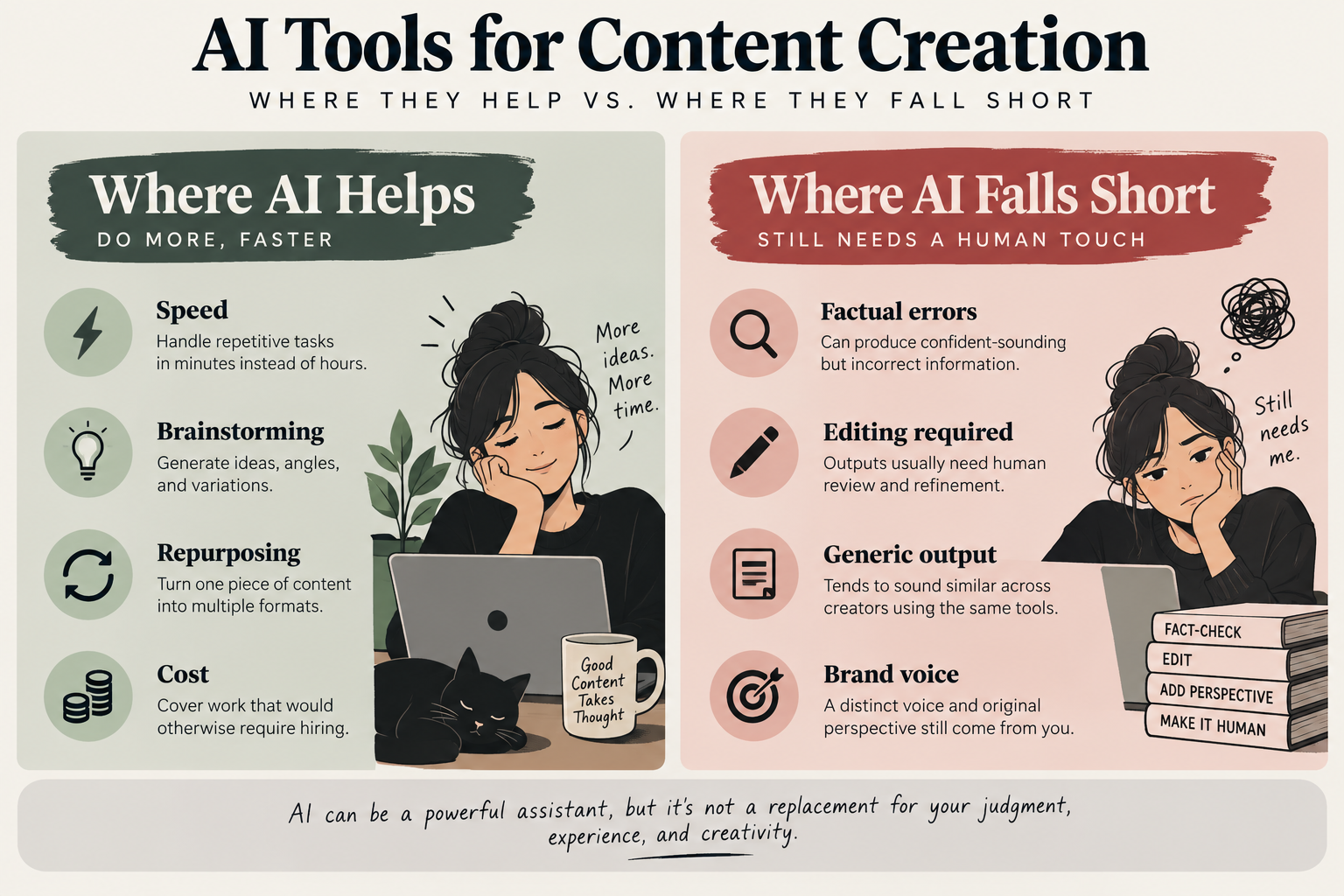
AI can be a useful part of the workflow, but I think it’s most effective when you treat it as an assistant rather than a replacement for human input.
AI Content and Search Visibility
Using AI doesn’t automatically make content unsuitable for search. The bigger issue is whether the content is genuinely useful, original, and created for people rather than simply produced at scale to attract search traffic.
For that reason, I use AI to help with parts of the content process, but I still review the output, check important information, and edit the final result before publishing.
Frequently Asked Questions
What are AI tools for content creation?
AI content creation tools use artificial intelligence to help with part of the creative process, such as writing, research, design, video, or audio.
What is the best AI tool for content creation?
There isn’t one tool that is best for every task. The right choice depends on what you’re trying to create and where your biggest workflow bottleneck is.
Can I use AI to write my entire blog?
You can use AI to help with research, outlines, and drafts, but the final content still needs human review, fact-checking, editing, and original input.
Can AI generate videos for me?
Yes. Tools like HeyGen can generate presenter-style videos, while CapCut and Descript are primarily designed for editing existing footage.
Do I need to pay for these AI tools?
Not necessarily. Most tools in this list offer some form of free access, so you can test whether a tool actually fits your workflow before paying for it.
Will Google penalize me for using AI?
Using AI itself isn’t the issue. The more important question is whether the resulting content is useful, original, and created for people rather than produced at scale simply to manipulate search rankings.