

Learning how to start a blog with AI sounds simple until you actually try it. You need a topic, a platform, SEO, design, and the discipline to keep publishing.
AI can speed up a lot of this — brainstorming, organizing ideas, unsticking a blank outline. But there’s a real difference between learning how to start a blog with AI and letting AI create one for you. The first uses AI as an assistant for repetitive, research-heavy tasks. The second hands over the judgment a blog needs to survive past its first few posts. This guide takes the first approach — the full process, topic to publishing, with AI’s role at each stage.
1. Decide What Your Blog Will Be About
If you’re wondering how to start a blog with AI, choosing a sustainable topic is the first decision to get right.
Your own experience is a good starting point: what have you learned recently, or spent time figuring out? You don’t need a fully defined reader persona on day one, but have a rough sense of who you’re writing for. Also check that the topic has room — if you can only think of five article ideas before running dry, it’s probably too narrow.
Avoid picking a topic purely because AI (or anyone) calls it “profitable.” Without genuine interest or knowledge, that shows up in thin writing fast.
How AI Can Help You Choose a Blog Topic
AI is a good brainstorming partner here, not a decision-maker: suggesting niches, subtopics, or angles you hadn’t considered — “budgeting for freelancers” versus “financial habits for first jobs,” say, within personal finance. What it can’t tell you is which angle you’ll still enjoy writing in six months. That’s your call.
2. Find Topics People Actually Want to Read
Once you have a topic, find out whether people actually search for it. Then consider what they expect to find. The sequence: broad topic → keyword ideas → search volume and competition → what’s currently ranking → search intent → article idea.
A step people skip is searching the keyword themselves. The format, dominant angle, and gaps in what’s already ranking tell you more in two minutes than a keyword tool alone. When I was researching topics for this site, I didn’t stop at keyword volume. I searched the terms myself to see what was already ranking. Then I checked whether it matched the article I wanted to write.
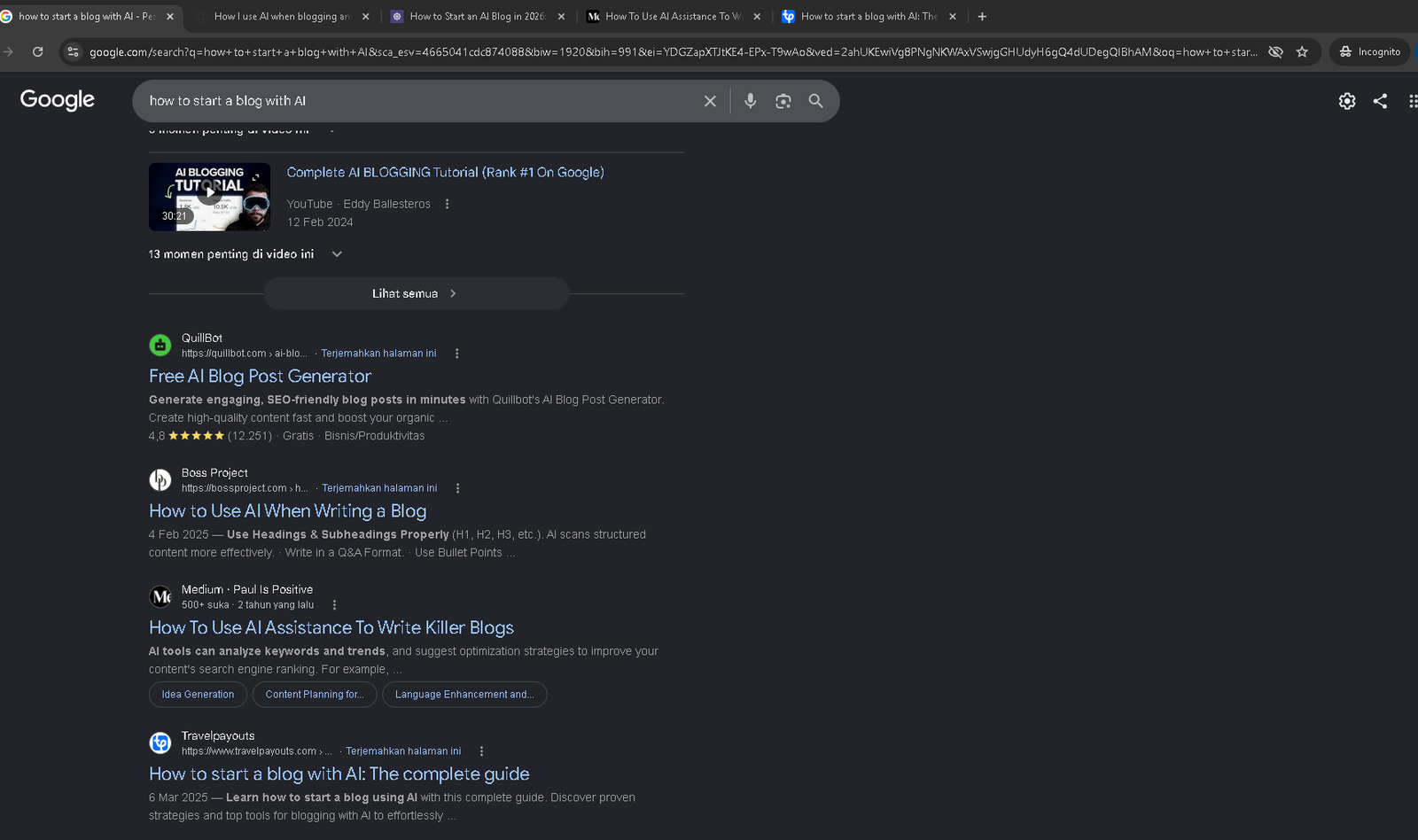
AI can expand a seed keyword into related terms, questions, and long-tail variations, and group similar ones together. But AI-generated keyword lists aren’t validated data — a suggestion can sound plausible with almost no real search volume, or miss a shift in intent. Widen your list with AI, then verify the promising ones with a keyword tool and a manual search before committing to write.
3. Plan Your First Content
You don’t need fifty article ideas before publishing. Start with a small, connected group instead. Your first posts can support each other rather than sitting alone.
This is the idea behind content clusters: one broader “pillar” article, supported by narrower ones that link back to it. Even three or four related posts can give a new blog more structure than random topics. A loose publishing plan also removes some of the friction that causes people to quit after two posts.
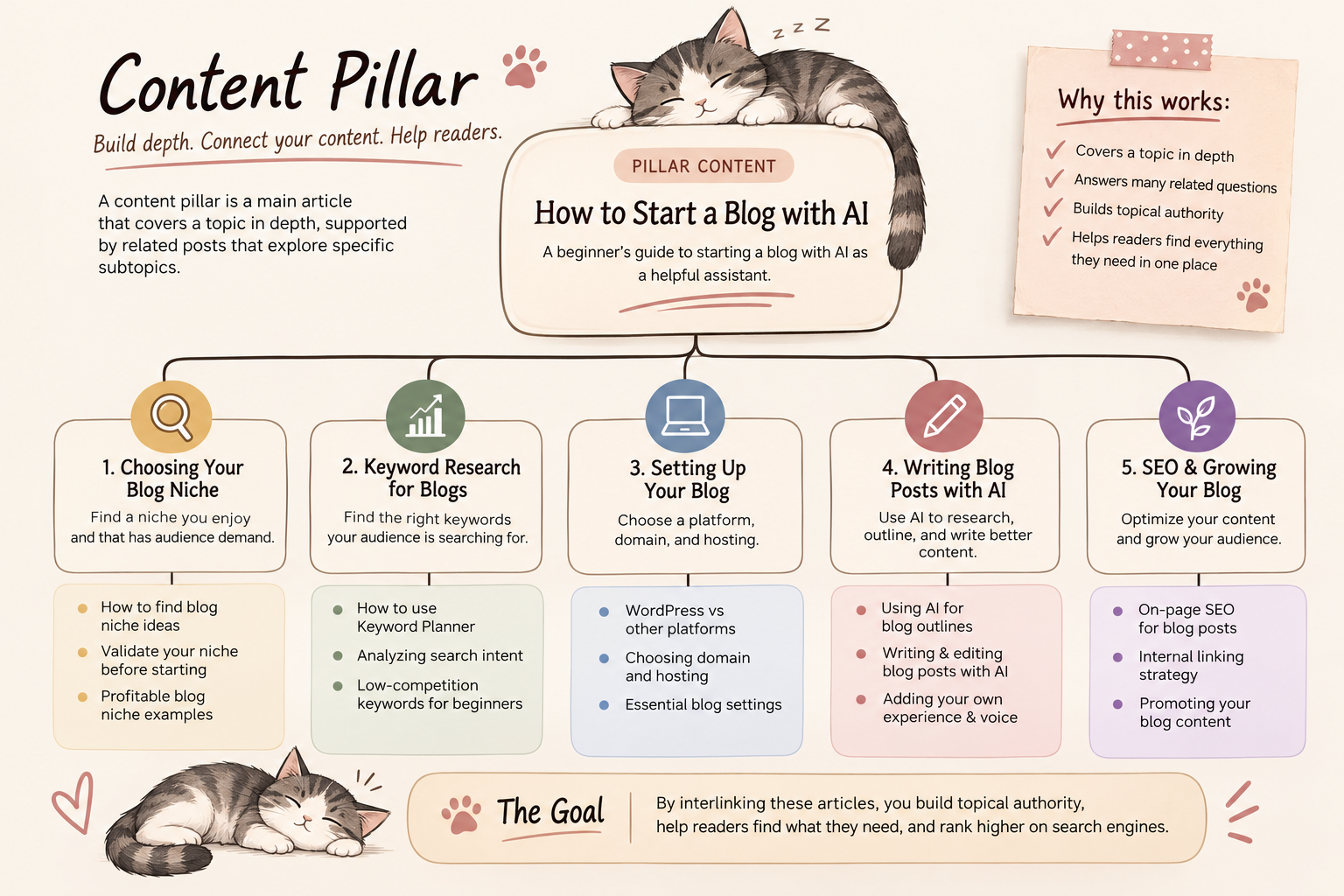
AI handles this organizational work well: brainstorming ideas, grouping them into clusters, or drafting a rough content calendar. Just remember an AI-generated calendar isn’t automatically a strategy — the topics still need to make sense for your actual audience.
4. Choose a Blogging Platform
When you learn how to start a blog with AI, choosing the right blogging platform still matters. For a beginner, consider ease of use and control over your content and design. Also consider SEO support and room to grow or monetize later.
Self-hosted WordPress is a common choice for long-term control. It gives you more flexibility over design, plugins, and content structure than a closed platform. It’s not automatically right for everyone, but it’s worth knowing why it comes up so often.
AI website builders can speed up initial setup — layouts, page structures, repetitive configuration — but don’t let AI build parts of the site you don’t understand. Use it to explain settings or troubleshoot, and check what it’s changing before following instructions blindly.
5. Set Up Your Blog
Once you’ve picked a platform, there’s a fairly standard checklist:
- Register your domain
- Set up hosting or your chosen platform
- Install WordPress, if applicable
- Choose a theme and basic design
- Set up navigation menus
- Create an About page
- Create a Contact page
- Add privacy and other legal pages appropriate for your location, audience, and how your site operates
- Set up analytics
- Connect Google Search Console
None of these is complicated alone, but doing them all in sequence is where momentum stalls. AI is a reasonable place to get quick answers on unfamiliar terms and troubleshooting. It can also help with a first pass at page copy. Edit that copy into your own voice, and treat AI as a starting point rather than instructions to follow blindly.
6. Use AI to Research and Outline Your First Blog Post
With setup done, you’re ready to learn how to start a blog with AI in practice: keyword → search intent → what’s ranking → research notes → outline → draft. AI is useful for organizing scattered notes into structure. It can also brainstorm reader questions, spot missed subtopics, and tighten a rough outline. Your own examples, observations, and experience should come from you. These details often make a practical article more useful than a generic summary.
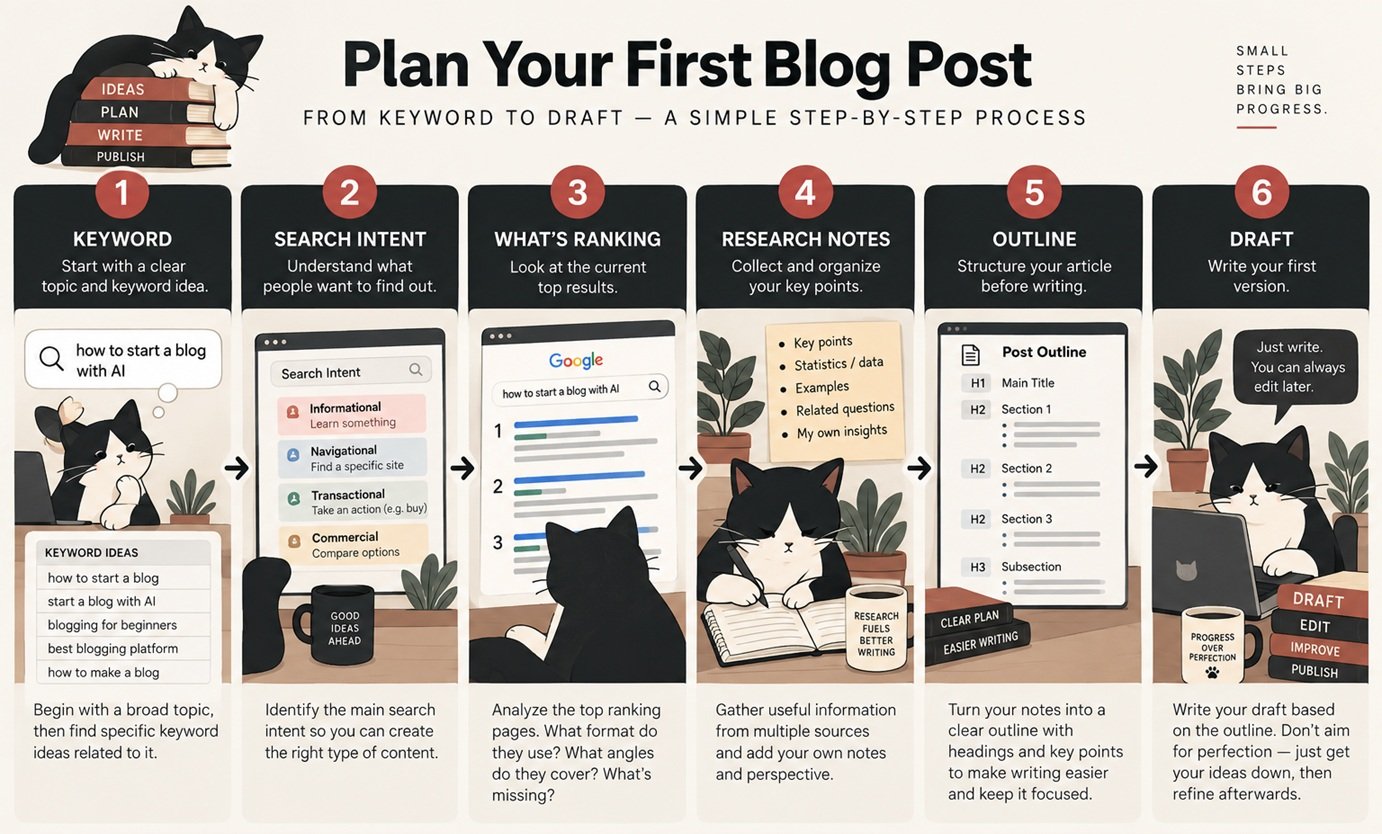
AI can sound confident and still be wrong or outdated. Check specific claims and statistics against a current, reliable source before publishing them. Verification is part of writing responsibly, whatever the source. The examples and observations that make an article worth reading should come from you — AI wasn’t there when it happened.
7. Write Your First Blog Post With AI
There’s no single right way to bring AI into writing. Three common approaches:
Write it yourself, AI as assistant. Write from your outline and research, using AI for phrasing, transitions, or editing passes.
AI initial draft. Give it your outline, research, key points, examples, audience, and tone, and let it generate a first draft to build from.
Generate individual sections. Use AI only for narrower pieces — intro options, an explanation, an FAQ pass, title variations — rather than a full draft.
Whichever you choose, AI output is a starting point, not a finished article — it needs review, fact-checking, and editing until it sounds like you. The useful skill is the process, not memorizing prompts.
8. Optimize Your Article for SEO
Basic on-page SEO isn’t complicated. Start with a primary keyword that matches search intent. Use a relevant title, logical headings, a clean URL slug, and an accurate meta description. Add relevant internal links and descriptive alt text. Keywords describe what people search for; search intent tells you what to deliver.
AI can generate title variations, flag missing subtopics, suggest internal links, and draft meta descriptions. SEO plugins and AI checks are sanity checks, not the finish line. A green score doesn’t confirm that an article is actually useful. Whether it satisfies what the reader was looking for is what matters most.
9. Create Images and Other Blog Visuals
When you learn how to start a blog with AI, visuals can be another area where AI saves time without replacing your own judgment.
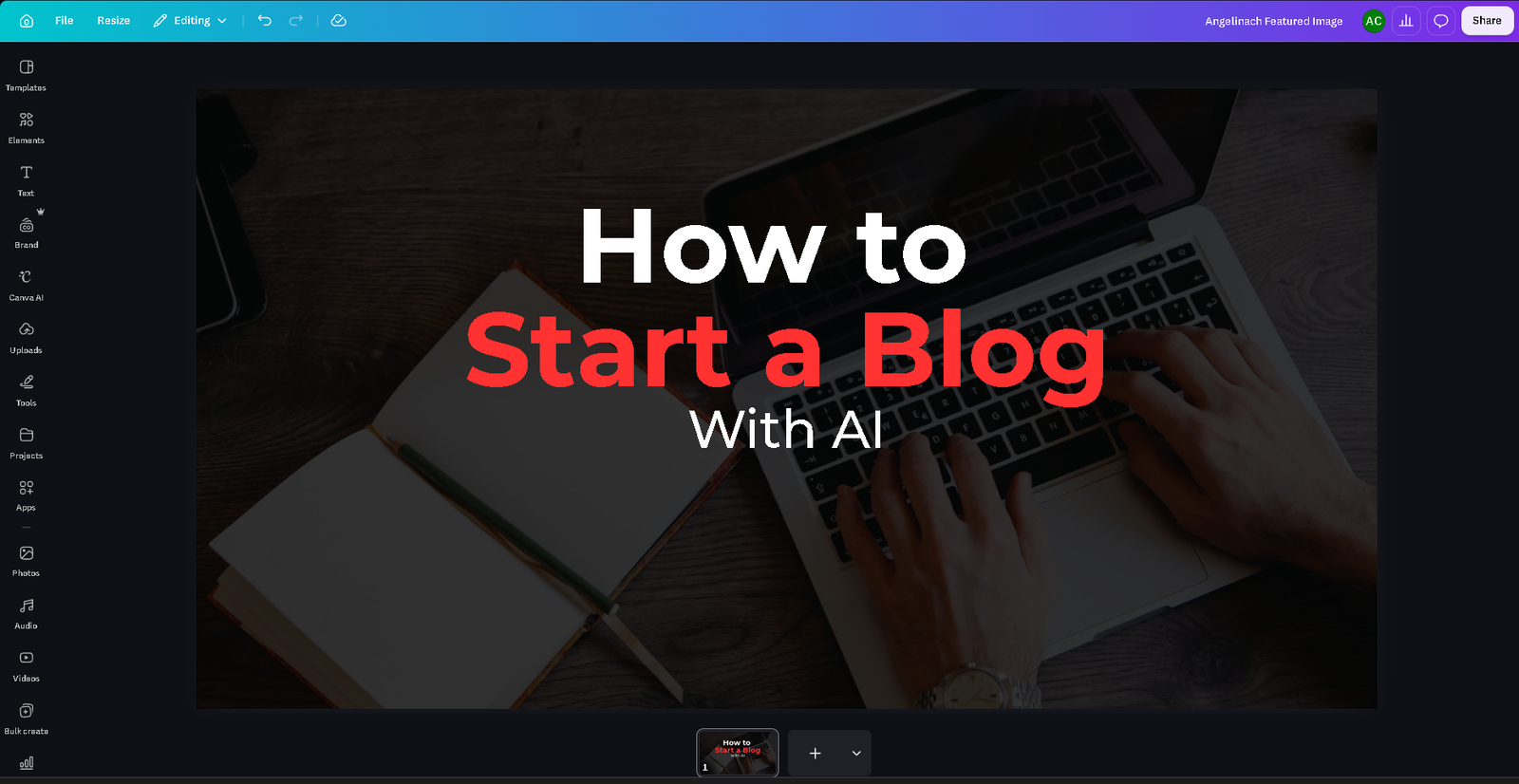
AI is useful for brainstorming visual concepts and infographic layouts. But original screenshots usually do more than generic AI imagery — a real screenshot of an actual workflow is both more useful and a clearer sign you’ve actually done the thing.
10. Publish — Then Don’t Just Walk Away
Before publishing: proofread, check headings and links, confirm images load and look right on mobile, and review the basic SEO elements.
After publishing: confirm the page loads correctly, check its indexing status in Search Console when it makes sense to, and add internal links as related articles go up. New sites take time to be discovered, crawled, and indexed, and one article isn’t enough to judge whether your approach is working. Let it accumulate real data before evaluating — checking traffic daily on a brand-new post won’t tell you much.
11. How Much of Blogging Should AI Actually Do?
The better question isn’t “how much can AI do?” but “which parts are actually better with AI, and which still need me?”
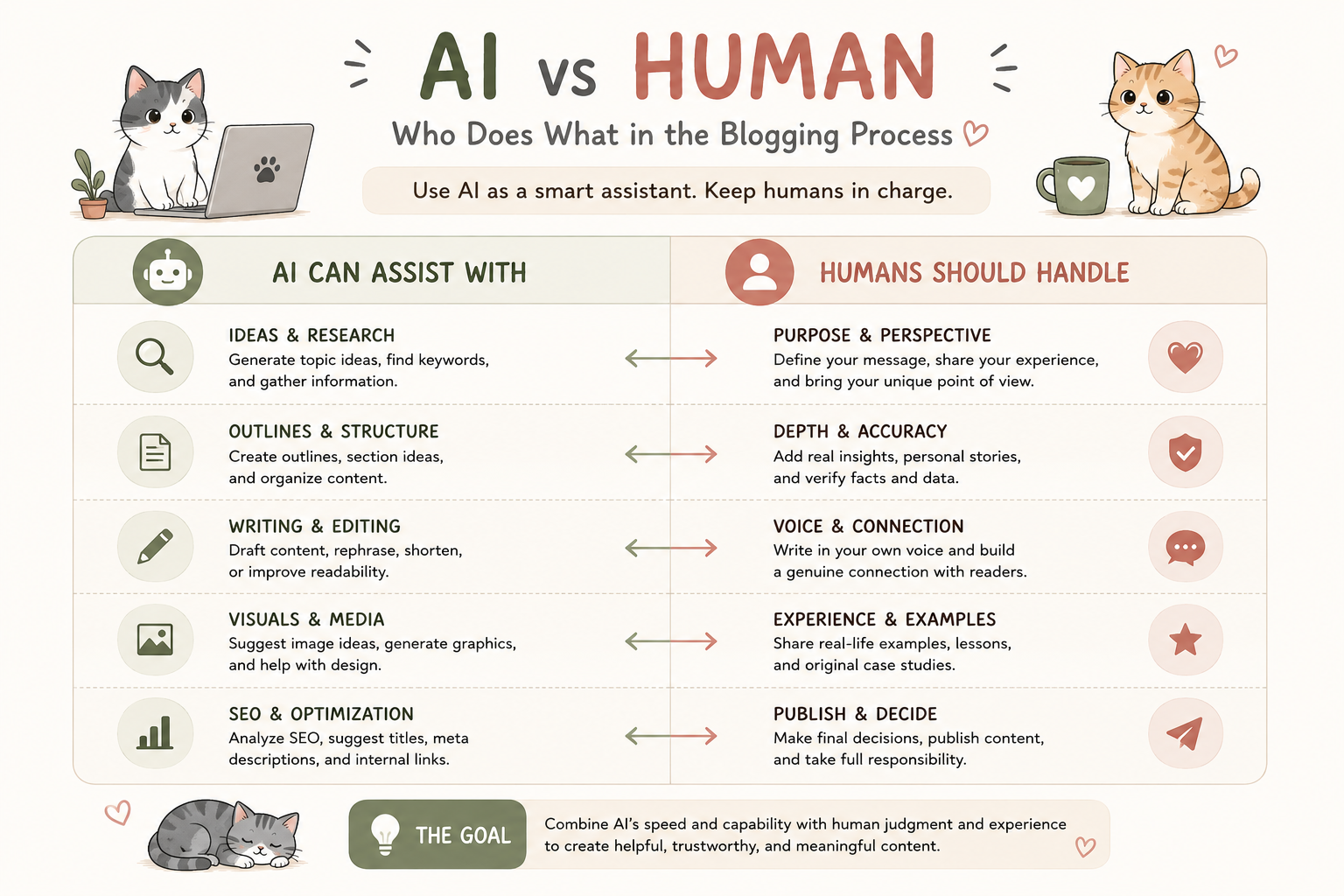
AI is strongest at the exploratory, repetitive parts — brainstorming, expanding, organizing. It’s weakest where judgment, lived experience, and accountability for accuracy matter. That’s a natural division of labor, not a limitation to work around: the goal is to free up your time for what only you can do — forming opinions, verifying claims, and deciding what’s actually worth publishing.
Frequently Asked Questions
Can I start a blog with AI as a complete beginner?
Yes. AI lowers the friction of brainstorming and drafting, but you’ll still make the core decisions — topic, setup, editing — yourself.
Can AI create an entire blog for me?
It can speed up setup and drafting, but a blog built entirely by AI tends to lack the originality and personal voice that make it worth returning to.
Can I use AI to write blog posts?
Yes — as an editing assistant, a first-draft generator, or for specific sections. Either way, review, fact-check, and edit before publishing.
Is AI-generated content allowed on Google?
Google has generally emphasized helpful, people-first content over how it was produced. That guidance can evolve, so check Google’s current documentation rather than assume.
What AI tools do I actually need?
Fewer than most lists suggest. A general-purpose AI assistant for brainstorming, research, and drafting covers most of what a beginner needs — add specific tools later, based on actual gaps.
The Bottom Line
You don’t need to master AI to learn how to start a blog with AI, or collect a long list of tools. You need a topic you can sustain, a rough sense of your audience, a small content plan, and a working setup.
AI can make real parts of this faster — brainstorming, research, drafting, SEO basics. What it can’t replace is your judgment and the final call on what gets published under your name.
For a closer look at which tools are worth using, Best AI Tools for Bloggers in 2026 breaks it down in more detail.